Your schedules live as documents
Write plans as living documents that keep notes, tasks, and dates together.
 KnotQ
KnotQ
KnotQ turns markdown documents into a live schedule
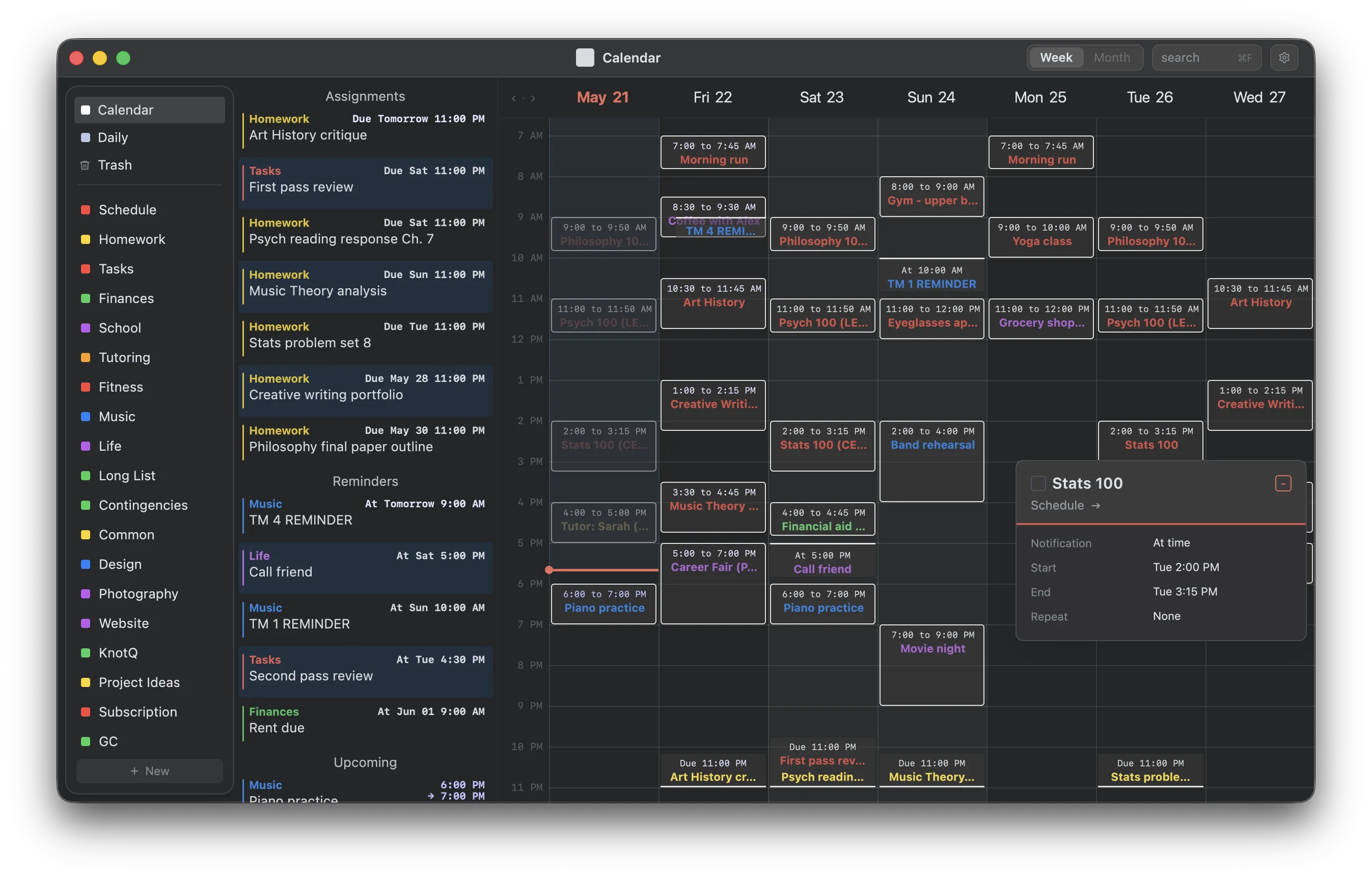
Write plans as living documents that keep notes, tasks, and dates together.
See upcoming events and assignments on your iPhone Home Screen.
A new and dedicated way to keep track of daily progress on long-term tasks.
Reminders, events, calendars, and plans in one place.
Bring your existing calendar into the same view as the work you schedule yourself.
Connect KnotQ to AI tools with control over how your workspace is shared.


Optional sync
KnotQ works fully offline with no account required. Optional KnotQ Sync keeps your workspace, calendar, media, and notifications in step across your signed-in devices.
Get KnotQ
Install from the latest GitHub release.
curl -fsSL https://knotq.com/install.sh | shFAQ
Yes. KnotQ works fully offline with no account required. Optional KnotQ Sync is available across your devices.
Completely. KnotQ is local-first: your schemes, tasks, and calendar live in plain files on your device and work without an internet connection. Optional sync is available when you want it.
Yes. KnotQ Sync keeps an entitled account’s workspace in step across desktop, iOS, and Android, while every app remains fully usable offline.
A local-first planner stores your data on your own device first, rather than on someone else’s server. KnotQ keeps your notes, tasks, deadlines, and calendar as plain files you own, so the app stays fast, private, and available offline.
KnotQ is built on schemes — markdown-style documents. Add a start date, an end date, or both to any line and it becomes a calendar item: an event, an assignment, or a reminder. Everything you schedule shows up in one week view.
Yes. KnotQ can import your Google Calendar read-only and merge it into the same week view as your plans, so you see meetings, classes, and self-scheduled tasks together.
KnotQ runs on iOS, Android, macOS (Apple Silicon and Intel), Windows, and Linux. Optional sync works across your signed-in devices.